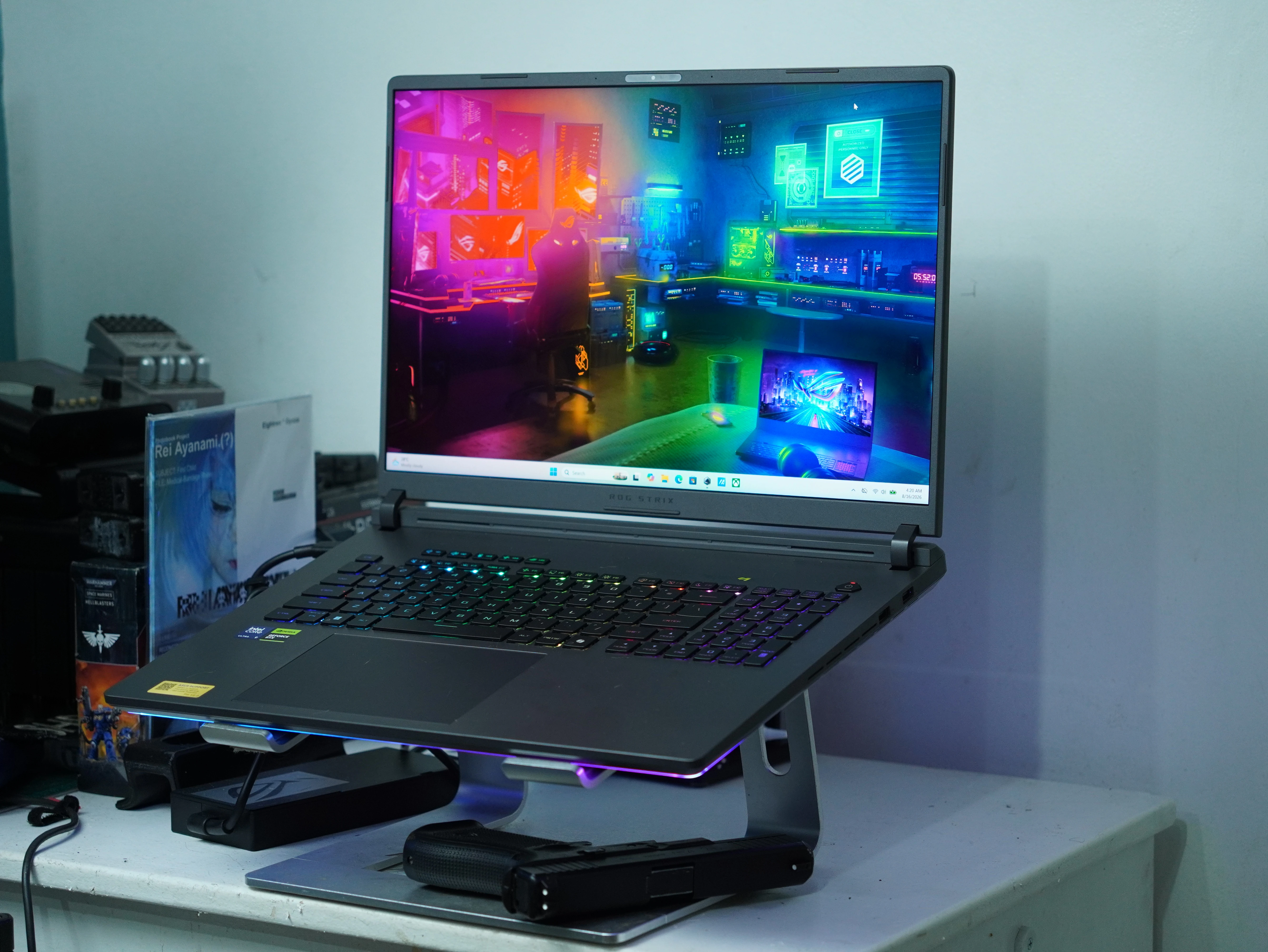
ASUS spent real money on the parts of the ROG Strix G18 (2026) that nobody photographs. There is Thermal Grizzly Conductonaut Extreme liquid metal on both the CPU and the GPU, an end-to-end vapor chamber, a third auxiliary fan dedicated to GPU and VRAM heat, and a full-width rear heatsink built from 0.1mm copper fins. Then it shipped the Philippine SKU with 16GB of RAM.
That is the tension running through this whole review. The G815LR-TT355WSM sells for PHP 244,995 and pairs an Intel Core Ultra 9 290HX Plus with a GeForce RTX 5070 Ti Laptop GPU, two Thunderbolt 5 ports and an 18-inch 2.5K 300Hz ROG Nebula panel. On paper it is a flagship. In the memory configuration it is a machine you should budget an upgrade for on day one.
We ran it through 3DMark, Cinebench 2026, CrystalDiskMark and six games captured in CapFrameX with full sensor logging. Here is what the numbers say.
Who This Laptop Is For
The Strix G18 is a desktop replacement that admits it. At 3.20kg before you add the 280W power brick, this is not a machine you carry between coffee shops. It is a machine you set down on a desk and leave there, and the 18-inch 16:10 panel is the whole argument for buying one. If your alternative is a 16-inch laptop plus an external monitor, the G18 collapses that into one device with a genuinely good screen.
The buyer ASUS is chasing is someone who wants near-desktop frame rates at 1600p, is willing to accept a laptop that lives plugged into the wall, and cares about local warranty support. In the Philippine market that last point carries more weight than spec sheets usually give it credit for.
Where This Sits in the ROG Stack
ROG splits its 18-inch line into Strix G18 and Strix SCAR 18. The SCAR gets the RTX 5090, 64GB of memory and the Mini LED Nebula HDR panel, and it costs PHP 439,995. The Strix G18 is the volume model underneath it, and the G815LR is the top rung of that ladder with the RTX 5070 Ti.
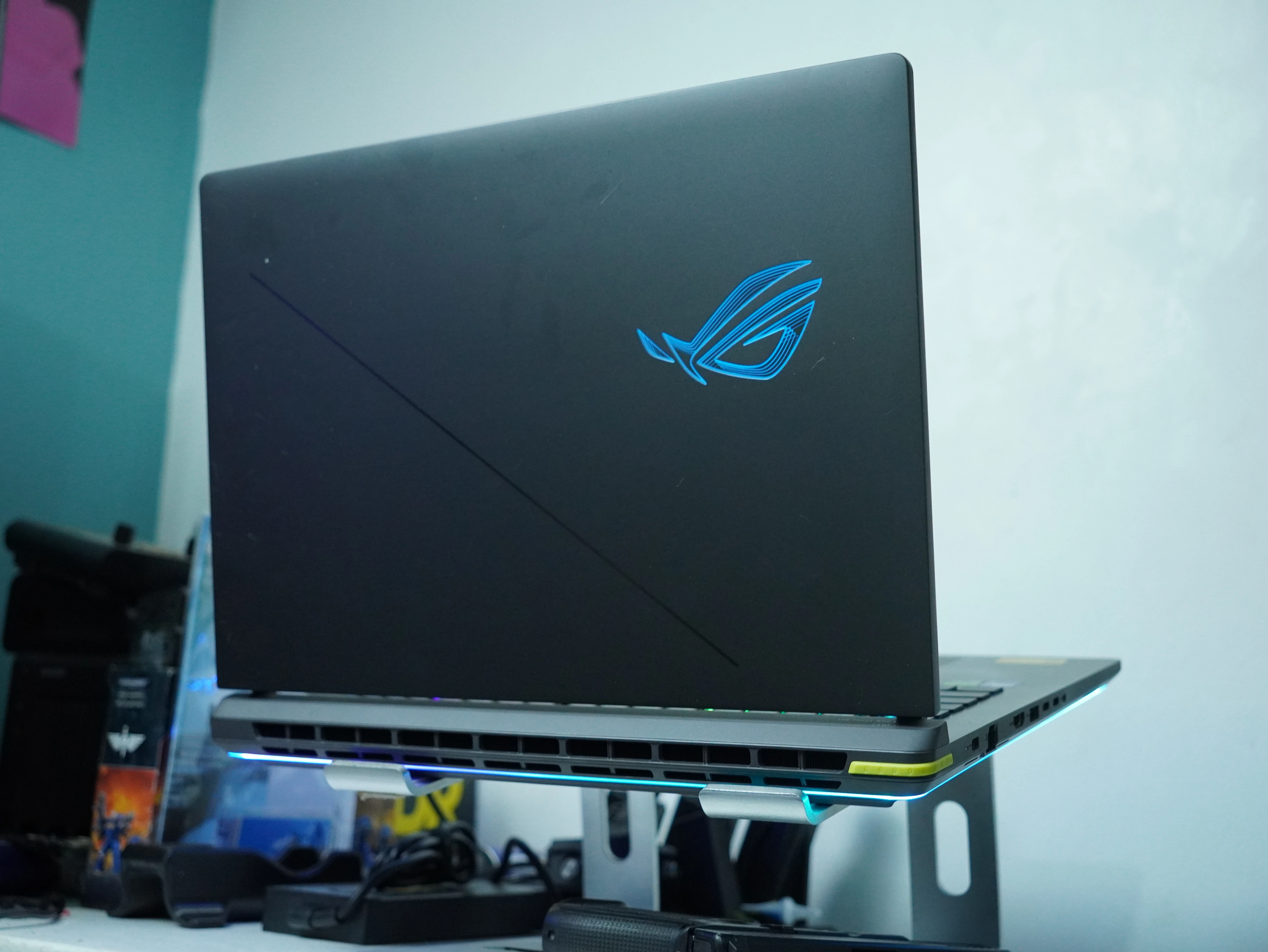
What makes the 2026 refresh interesting is that ASUS did not reserve the thermal engineering for the halo product. The tri-fan layout, the vapor chamber and the liquid metal all appear on the G18. The rear-hinge exhaust design moves every vent away from where your right hand sits, and the CoolZone keyboard deck uses the largest airflow cutouts ASUS has put in a Strix chassis. This is a serious cooling system in a mid-flagship body.
Review Unit Specifications
Everything below was verified in HWiNFO64 v8.51 and NVIDIA System Information on the review unit, not copied from a spec sheet.
Component | Specification |
|---|---|
Model | ASUS ROG Strix G18 G815LR (Philippine SKU G815LR-TT355WSM) |
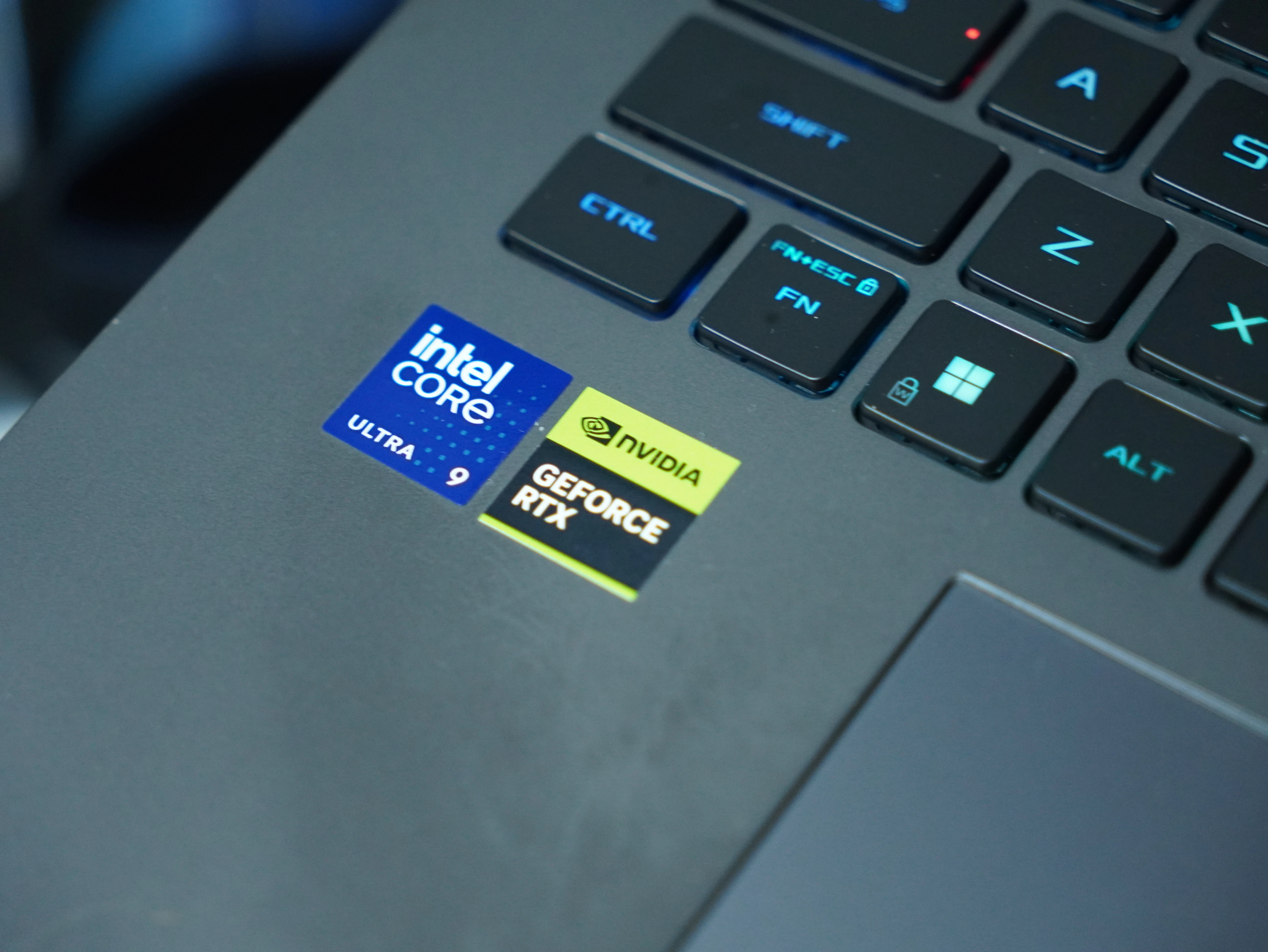
CPU | Intel Core Ultra 9 290HX Plus (Arrow Lake-HX Refresh, TSMC N3, stepping B0) - 8 P-cores + 16 E-cores, 24 threads, 2.7 GHz base, 5.5 GHz Turbo Max, 36MB Smart Cache + 40MB L2, 55W base TDP |
GPU | NVIDIA GeForce RTX 5070 Ti Laptop GPU (GB205 Blackwell, 5,888 CUDA cores) - 12,227MB GDDR7 dedicated, 192-bit bus, 677 GB/s. 115W base TGP plus 25W Dynamic Boost for a 140W ROG Boost ceiling at 1565 MHz |
Chipset | Intel HM870 (Arrow Lake-HX PCH), BIOS G815LR.338 dated 04 June 2026 |
Memory | 16GB DDR5-5600 SO-DIMM (Micron MTC8C1084S1), CL46-45-45-90. Two SO-DIMM slots, 64GB maximum |
Storage | 1TB WD PC SN5000S (SDEQNSJ-1T00-1002), NVMe 2.0, Host Memory Buffer capable. Two M.2 PCIe slots |
Display | 18-inch ROG Nebula, 2560 x 1600 16:10, IPS-level anti-glare, 300Hz, 3ms, 100% DCI-P3, Pantone validated, NVIDIA G-SYNC |
Ports | 2x Thunderbolt 5 (120Gbps, DisplayPort, Power Delivery, G-SYNC), 3x USB 3.2 Gen 2 Type-A (10Gbps), 1x HDMI 2.1 FRL, 1x 2.5G LAN, 1x 3.5mm combo audio |
Wireless | Wi-Fi 7 (802.11be) tri-band 2x2, Bluetooth 5.4 |
Audio and camera | Two-speaker system with smart amplifier, Hi-Res certified, Dolby Atmos, AI noise cancelling, array microphone. 1080p IR webcam with Windows Hello |
Keyboard | Full-size per-key RGB with Overstroke, dedicated gaming hotkeys, Copilot key, Aura Sync logo and full-surround light bar |
Battery and power | 90Wh 4-cell Li-ion. 280W AC adapter (20V, 14A) plus a 100W USB-C adapter in the box |
Cooling | Tri-Fan Technology, end-to-end vapor chamber, full-width rear sandwiched heatsink with 0.1mm copper fins, Thermal Grizzly Conductonaut Extreme liquid metal on CPU and GPU |
Chassis | 39.9 x 29.8 x 2.35 to 3.20 cm, 3.20kg |
OS | Windows 11 Home Single Language, Build 26200.9168 (25H2), Secure Boot and HVCI enabled |
The GPU line deserves unpacking. NVIDIA's RTX 5070 Ti Laptop is a GB205 Blackwell part with 5,888 CUDA cores and a 192-bit memory bus feeding 677 GB/s of bandwidth. That is a narrower bus than the desktop card of the same name, which is a 256-bit GB203 with 16GB. Same product name, different silicon. The 12,227MB of dedicated GDDR7 that NVIDIA System Information reports is the usual 12GB minus what the driver reserves, and as the gaming section shows, it never came close to being the limiting factor.
Two ports also deserve a callout. The pair of Thunderbolt 5 connections at 120Gbps is the headline, and it is a real differentiator against rivals still shipping Thunderbolt 4 at this price. Combined with the 100W USB-C adapter that ASUS includes alongside the 280W brick, you get a machine that charges off a single cable for light work and only needs the full brick when you sit down to game. For an 18-inch laptop that otherwise commits you to a heavy power supply, that second adapter is a genuinely useful inclusion rather than a throwaway.
Synthetic Benchmarks
3DMark Steel Nomad returned 3,841 points with a graphics test average of 38.42 FPS. Port Royal, the ray tracing test, scored 11,292 at 52.28 FPS. Both are respectable RTX 5070 Ti Laptop results.
Both are also slightly below where they should be. 3DMark's own database puts the average for identical hardware at 3,863 in Steel Nomad and 11,738 in Port Royal, with best-in-class results at 4,221 and 12,227. The G18 landed roughly 4% behind the Port Royal average for its own configuration.
The likely explanation is sitting in the HWiNFO summary. This unit ships with Hyper-V active and Hypervisor-protected Code Integrity enabled, which is the Windows 11 default on modern hardware and which costs a few percent of gaming and synthetic performance. It is not an ASUS defect. It is worth knowing about if you compare your own numbers against review charts and wonder why yours are lower, and it is worth knowing that turning VBS off recovers some of it.
On the CPU side, Cinebench 2026 gave 6,957 points multi-threaded and 558 points single-threaded, with an MP ratio of 12.47x. Cinebench's own leaderboard puts that single-thread result behind the Apple M4 Max at 676 and the desktop Core Ultra 9 285K at 602, but ahead of the Snapdragon X 12-core at 519 and the Core Ultra 7 255H at 495. Multi-threaded, the 290HX Plus at 6,957 sits between the M4 Max at 7,829 and the 32-core Threadripper at 4,568.
Read that carefully. A laptop chip landing within 11% of an M4 Max in multi-threaded rendering is a strong showing for Arrow Lake-HX Refresh. It gets there by throwing 24 cores at the problem with no hyperthreading, and as the thermal section shows, it pays for that in heat.
Storage Performance
CrystalDiskMark 9.0.3, three passes at 1GiB, on a C: drive that was 74% full at test time:
Test | Read (MB/s) | Write (MB/s) |
|---|---|---|
SEQ1M Q8T1 | 6,390.68 | 5,457.27 |
SEQ1M Q1T1 | 3,903.65 | 1,881.41 |
RND4K Q32T1 | 627.86 | 779.68 |
RND4K Q1T1 | 79.71 | 156.87 |
These are solid mid-tier PCIe 4.0 numbers and nothing more. The WD PC SN5000S is an OEM drive that leans on Host Memory Buffer rather than onboard DRAM, which is why the single-queue 4K read sits at 79.71 MB/s. In practice you will not notice it during gaming, where sequential throughput matters more. Two caveats push in opposite directions: a drive at 74% capacity tests slower than an empty one, so these numbers are conservative, but a DRAM-less OEM SSD is still a cost-saving choice in a PHP 245,000 laptop. The second M.2 slot is there for a reason.
Gaming Performance
All six titles were captured with CapFrameX at the panel's native 2560 x 1600 using each game's highest available preset with no upscaling. The exception is Cyberpunk 2077, which ran the Ray Tracing Ultra preset with DLSS and Frame Generation enabled.
Game | Avg FPS | P1 | 1% Low | 0.1% Low | CPU Power (avg/max) | CPU Temp (avg/max) | GPU Power (avg/max) | GPU Temp (avg/max) | VRAM |
|---|---|---|---|---|---|---|---|---|---|
Doom Eternal | 228.1 | 151.6 | 139.7 | 98.9 | 67W / 82W | 86°C / 93°C | 104W / 104W | 82°C / 83°C | 7.89 GB |
Counter-Strike 2 | 193.6 | 101.6 | 89.7 | 59.1 | 34W / 68W | 76°C / 85°C | 123W / 160W | 83°C / 85°C | 6.62 GB |
Bright Memory: Infinite | 153.1 | 117.7 | 28.7 | 9.1 | 42W / 64W | 80°C / 88°C | 110W / 123W | 82°C / 85°C | 5.91 GB |
Ready Or Not | 136.7 | 89.8 | 69.5 | 31.9 | 29W / 37W | 74°C / 75°C | 127W / 136W | 86°C / 87°C | 4.36 GB |
Baldur's Gate 3 | 100.5 | 87.6 | 80.2 | 51.7 | 51W / 83W | 83°C / 94°C | 111W / 118W | 82°C / 83°C | 4.86 GB |
Cyberpunk 2077 (RT Ultra, DLSS + FG) | 53.8 | 40.5 | 38.3 | 33.2 | 44W / 52W | 77°C / 79°C | 114W / 141W | 81°C / 83°C | 7.43 GB |
What the frame times actually show
Doom Eternal is the cleanest result in the suite. 228.1 FPS average with 1% lows at 139.7 FPS at native 1600p on the highest preset means id Tech 7 is running exactly as well as it should on this hardware. The GPU sat pinned at 104W with a flat power curve and spent 96% of the run in its GPU load limit, which is what a properly fed graphics card looks like. This is the title where the 300Hz panel starts to earn its refresh rate.
Counter-Strike 2 averaged 193.6 FPS with a 653 FPS peak, and the 1% low of 89.7 FPS is the number competitive players should care about. Frame times sat in a tight band around 5ms across the entire capture with one visible spike. One sensor note for anyone reading the table closely: the 160W peak here sits above the 140W ROG Boost ceiling, because CapFrameX logs total board power rather than core TGP. Memory and VRM losses account for the gap. The GPU core itself is still working inside NVIDIA's 115W base plus 25W Dynamic Boost budget.
Baldur's Gate 3 at 100.5 FPS average with 80.2 FPS 1% lows is a genuinely good 1600p result for Larian's engine. The GPU held 99% load for the full run. This is also where the CPU hit its highest temperature of the entire test suite at 94°C while drawing 83W.
Ready Or Not averaged 136.7 FPS with 1% lows at 69.5 FPS. The gap is wide but that is Unreal Engine behaviour under AI event triggers, not a hardware fault. Note the sensor data: the CPU idled along at 29W average and 75°C while the GPU ran the hottest of any title at 87°C. This is a purely GPU-bound workload.
Bright Memory: Infinite is the outlier and the most useful result in the set. The 153.1 FPS average looks great until you see the 1% low of 28.7 FPS and the 0.1% low of 9.1 FPS. The frame time graph explains it: six discrete spikes hitting 90 to 120ms, clustered in the first three seconds and then scattered through the run. That is traversal and shader compilation stutter, and it is the kind of thing an average FPS number hides completely. The game feels fine after the first pass. The first pass is rough.
Cyberpunk 2077 at 53.8 FPS on Ray Tracing Ultra with DLSS and Frame Generation is the ceiling of this configuration, and the sensor data shows why in an unexpected way. The GPU only pulled 114W average against a 140W budget and sat at 91% load, never entering its load limit. The CPU averaged 44W with maximum clocks around 3,789 MHz, well short of the 5.5 GHz the chip is rated for. Neither part was maxed out, and VRAM peaked at 7.57GB against 12,227MB available, so the 192-bit memory system was not the constraint either. In a frame-generated ray tracing pipeline the bottleneck moves off the shader cores. Buyers who want triple-digit frame rates in Night City will dial ray tracing down a notch rather than lean harder on upscaling.
Thermals and Acoustics
The GPU side of this cooling system works. Across all six titles the RTX 5070 Ti stayed between 81°C and 87°C, with the tightest spreads you could ask for. Doom Eternal held 82°C to 83°C for an entire sustained run at full load. That is the vapor chamber and the liquid metal doing their job.
The CPU side is a different story. The Core Ultra 9 290HX Plus peaked at 94°C in Baldur's Gate 3 and 93°C in Doom Eternal, and it hit those numbers while drawing only 83W and 82W respectively. A chip rated for 160W maximum turbo power running into the 90s at half that draw, inside an 18-inch chassis with liquid metal and a vapor chamber, tells you the limit here is the silicon and not the heatsink. Arrow Lake-HX Refresh runs hot. If ASUS cannot keep it under 90°C with this thermal solution, nobody is going to.
This does not translate into throttling in any meaningful sense during our runs. Frame times stayed consistent and clocks held. But it does mean the fans work hard, and on a laptop with three of them and rear-hinge exhaust, you will hear it. We did not take calibrated noise measurements, so treat that as an observation rather than a rating.
The 16GB Problem
This is the part of the review that matters most for your buying decision. The Philippine G815LR-TT355WSM ships with 16GB of DDR5-5600. ASUS's own US configuration of the same G815LR model with the same RTX 5070 Ti ships with 32GB.
Our test data shows why that matters less than you would think in the short term and more than you would think in the long term. Peak system RAM usage across all six games was 5.14GB in Cyberpunk 2077. Nothing we ran came close to filling 16GB. If you game and nothing else, you will not notice.
The problem is everything around the games. Windows 11 with VBS enabled, Armoury Crate, a browser with thirty tabs, Discord, OBS and a game together will find the edge of 16GB quickly, and this is an 18-inch desktop replacement bought by people who do exactly that. Two DDR5 SO-DIMM slots and a 64GB ceiling mean the fix is straightforward, but it is a fix you are paying for on top of PHP 244,995.
Reading the Marketing
ASUS's claims for this machine hold up better than most. The 140W ROG Boost figure is honest and matches NVIDIA's own 115W plus Dynamic Boost ceiling for this GPU. The Tri-Fan and liquid metal cooling story is verified by the GPU temperature data. The 300Hz panel is real, although it defaults to 240Hz and requires Armoury Crate's Ultimate mode to unlock the full refresh rate, which is the kind of detail that belongs in the setup guide rather than a footnote.
Two places to read carefully. The first is memory: ASUS markets the Strix G18 (2026) family globally with configurations up to 32GB and 64GB, and the 2026 line now includes Mini LED Nebula HDR panel options at 1,200 nits that are not what the Philippine G815LR ships. Check the exact model code at point of purchase. TT355WSM is 16GB, 1TB and the 300Hz IPS-level panel at 500 nits.
The second is the GPU name. NVIDIA's laptop RTX 5070 Ti is a GB205 die with 12GB on a 192-bit bus. The desktop RTX 5070 Ti is a GB203 die with 16GB on a 256-bit bus. They share a name and very little else, and no amount of reading the marketing copy will tell you that. It is not a criticism of this laptop, which performs exactly as its actual silicon should. It is a reason to ignore desktop benchmark charts when you shop for one.
Verdict
The ROG Strix G18 (2026) is a very good gaming laptop with one configuration decision holding it back. The engineering underneath is legitimate: liquid metal on both processors, an end-to-end vapor chamber and a third fan produce GPU temperatures that barely move across an entire test suite, and the 18-inch 2.5K 300Hz Nebula panel is the kind of display that changes how you use a laptop. Thunderbolt 5, 2.5G LAN, Wi-Fi 7 and a bundled 100W USB-C charger round out a connectivity story with no obvious gaps.
Performance lands where a 140W GB205 should. Native 1600p at maximum settings gives you 228 FPS in Doom Eternal, 194 FPS in Counter-Strike 2 and 100 FPS in Baldur's Gate 3. Ray-traced Cyberpunk 2077 is the wall, and no amount of frame generation gets it past 60 FPS on the heaviest preset.
Buy it if you want an 18-inch desktop replacement with a great panel and cooling that holds up under sustained load, and if you accept that a 16GB upgrade is part of the purchase price. Skip it if you need portability, if you want ray tracing at max settings without compromise, or if a competing 32GB configuration at a similar price is available to you. Wait if the Mini LED Nebula HDR variant reaches local shelves, because 1,200 nits and 2,000 dimming zones would make an already good display genuinely special.
Score
This ROG Strix G18 is a very good gaming laptop with one configuration decision holding it back.
- GPU thermals held between 81°C and 87°C across every title tested, with almost no variance under sustained load
- Two Thunderbolt 5 ports at 120Gbps, still uncommon at this price
- 100W USB-C adapter included alongside the 280W brick, so light-duty use does not require the big power supply
- 18-inch 2.5K 300Hz ROG Nebula panel with 100% DCI-P3 and G-SYNC is the best reason to buy this over a 16-inch machine
- Cinebench 2026 multi-threaded score of 6,957 puts the 290HX Plus within 11% of an Apple M4 Max
- Native 1600p at max settings clears 100 FPS in every title tested except ray-traced Cyberpunk 2077
- Two SO-DIMM slots and two M.2 slots, so both weak points are user-fixable
- 16GB of RAM in a PHP 244,995 desktop replacement, when the same model number ships with 32GB elsewhere
- CPU peaked at 94°C while drawing only 83W, which is an Arrow Lake-HX Refresh trait rather than a cooling failure but a real one
- DRAM-less OEM SSD delivering 79.71 MB/s single-queue 4K reads
- Cyberpunk 2077 on RT Ultra averages 53.8 FPS even with DLSS and Frame Generation running
- 3.20kg plus a 280W brick means this is a desk machine, not a portable one
- 300Hz requires Armoury Crate Ultimate mode. The panel defaults to 240Hz out of the box